Saturday, February 29, 2020

Ready to Lease a Copier in 2020? What to Watch Out For!

We have had some clients come to us, desperate to leave their current copier situation. They have a lease they are completely upside down in and want to know what they can do to improve their situation. I want to address the question –

“What can we do if we want to get out of our copier lease?”

The problem you face when trying to get out of a copier lease is the items are essentially being financed by a bank and maintained, in general, by a local company. In a lot of ways this is like leasing a vehicle and getting an extended warranty through a local dealer.

The first thing to consider is the situation everyone is in. It will help you understand why you may be having trouble getting what you want, and why everyone feels a bit helpless in the situation.

The Bank:

A key player in the copier lease is the bank. The bank is the company who finances the copier so you can use it for the next five years. The part that is confusing to most people is even the manufacturer’s financing is not always owned by that manufacturer.

So, the bank is loaning money, expecting a return oon their investment and if you return the copier early without paying, for them all that is lost revenue and lost profit. If they let every frustrated user out of their copier lease, the current rates of 8 percent would go up to 20% or 30% interest. Part of the stubbornness is to ensure other clients can get competitive rates.

The Dealer:

The next entity you ,may try and get relief from is the dealer that sold you the copier. You are thinking, perhaps, this dealer I paid $10,000 to over the last 3 years, so it is their job. This is where you hit another hiccup. The dealer may have charged you $10,000, but if they charged that amount, they certainly didn’t make that amount. Most dealers run on about 15% margin, so this means of the $10,000 you paid, they made $1,500 and then sent the $8,500 to the manufacturer.

The dealer isn’t making a ton on your copier, and if they simply “let you out of the deal,” first they would have to pay the bank back (with interest) AND they would be stuck with the copier they probably ordered for you. They have no control over the production quality of the copier, so they generally will do all they can to make sure they are working, but generally will not feel responsible for a recurring issue with the copier since they didn’t make it.

The Manufacturer:

Next we get to the manufacturers. They are almost always, many multiple billion dollar entities who are trying to move a ton of boxes. They, in general train the field reps on the copiers, so they also do not always feel compelled to help. They will assume the servicing dealer is making a mistake and often by the time the manufacturer is involved, the situation is so dirty it is unrecoverable.

The Customer (You):

So here you are, you have a copier that is broken that the bank won’t let you out of because they simply loaned you money to have it, the dealer won’t accept a return because they have already invested a ton of hours to fix the issue and they only made 15% of what you spent. The manufacturer won’t help because they are saddled with multi-billion dollar logic and policies to protect the bottom line. Your copier is broken and everyone is pointing at someone else.

A maddening position many find themselves in.

Normal Resolution:

Most companies in this position, get the buyout numbers from the bank and then roll that payment into the next lease. But what if your situation is REALLY messy. For example, we are working with a client who has a huge mess on their hands. They have a copier that isn’t meeting their needs and is costing them an arm and both legs.
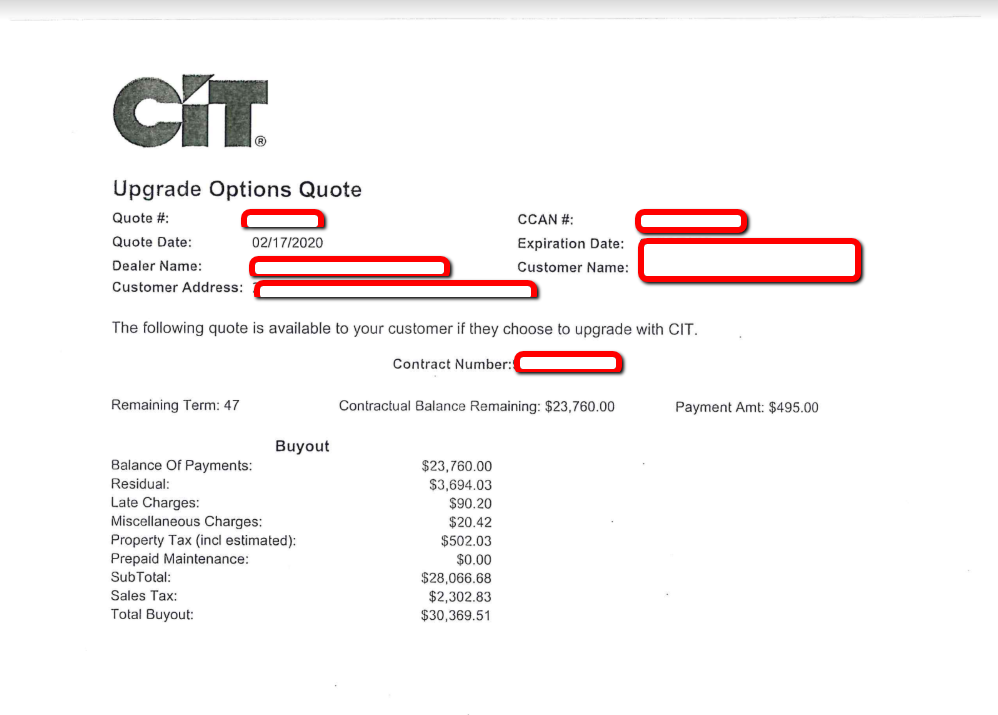
The problem this client has is they signed up for a lease that was WAY too expensive and the bank is simply trying to make sure they don’t lose money when they give the buyout. To be clear, in this scenario, we cannot see where the bank had any part of the frustrations. The bank simply financed what the client and their dealer agreed to.

The dealer probably had to pay about $20,000 for the equipment, and it says there are 47 months to go. If the dealer were to take back the copier, they will have lost basically $20,000 – You would expect the number to be lower, but remember the bank adds interest. The client is asking the copier lease company to take back a 13 month old copier for the same price as a brand new copier and most clients will even say they are so unsatisfied there is no way they will keep working with the dealer.

As the owner of the copier company, what would you do? You have a copier that a client wants to return at the full rate, but it is a 13 month old copier. You may have cash flow troubles which makes $20,000 to be a bit too much. Maybe you are unable, even if you wanted to work with the client.

So does that mean the client should be stuck with the copier lease? All of these questions are hard to answer. We just wanted to help you understand why getting out of a copier lease may be harder than you expected.

The copier company you are working with will generally reach out to their manufacturer. Most good manufacturers will help. Maybe they will help with client training, maybe they will swap. Then generally understand the wisdom of making sure the enduser client is happy. Xerox had a program, for instance, they called the Total Satisfaction Guarantee which they have done away with, but with enough pushing you can normally get something done for the client.

When dealing with a situation where the copier is driving you nuts… our first step is to try your best to work with your dealer. Often because of their manufacturer relationship they can get things done for you. If you start the conversation as a war, often they are reduced to feeling like they cannot really make you happy and may not work as hard to solve the problem, but will start spouting the rules to you rather than looking for a cooperative solution to create a win/win for everyone. Of course, even if you do your side perfectly, it may not get you where you are trying to go.

If you feel we can help you out with a copier lease or helping you understand your current copier lease, we are here for you!

The post Ready to Lease a Copier in 2020? What to Watch Out For! appeared first on Copier Lease Center.


source https://www.copierleasecenter.com/ready-to-lease-a-copier-in-2020-what-to-watch-out-for/

Friday, February 14, 2020

Xerox Altalink vs Versalink

You may have gotten a quote or have seen reviews about the Xerox Altalink and Xerox Versalink products. This article is to help you know what you are getting (or not getting) with these products.

Color Copiers – Xerox Altalink Copiers

  • Xerox Altalink C8030
  • Xerox Altalink C8035
  • Xerox Altalink C8045
  • Xerox Altalink C8055
  • Xerox Altalink C8070

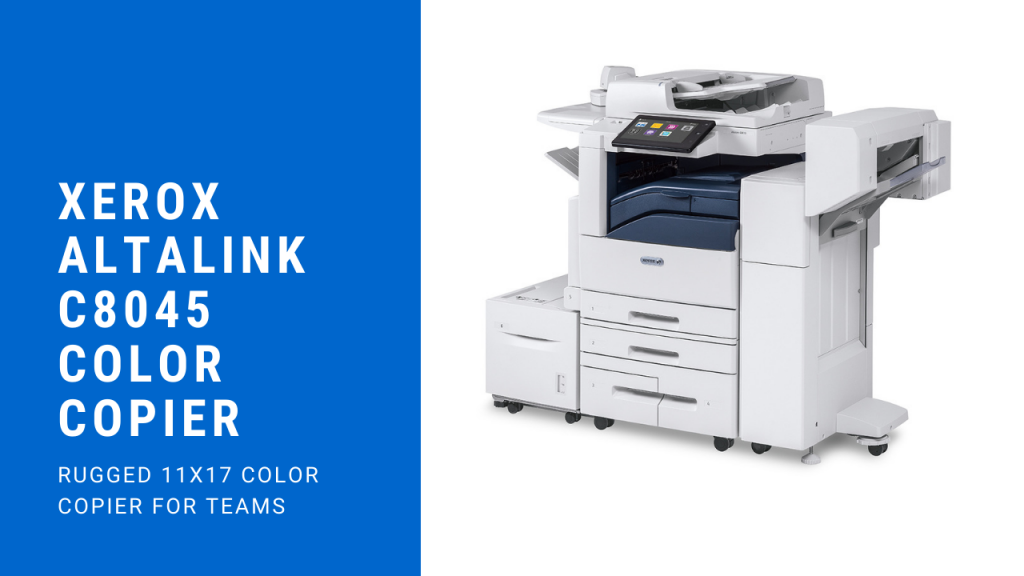
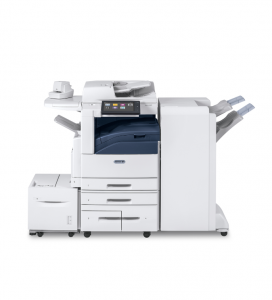
These are color copiers which are in the same family. They look like this…

Xerox Altalink Color Copiers

Now, these copiers are more robust. They are great for departmental copiers and handle a nice workload. These copiers are ideal when you want a higher quality copier with good standard features (like 4 trays and Postscript.)

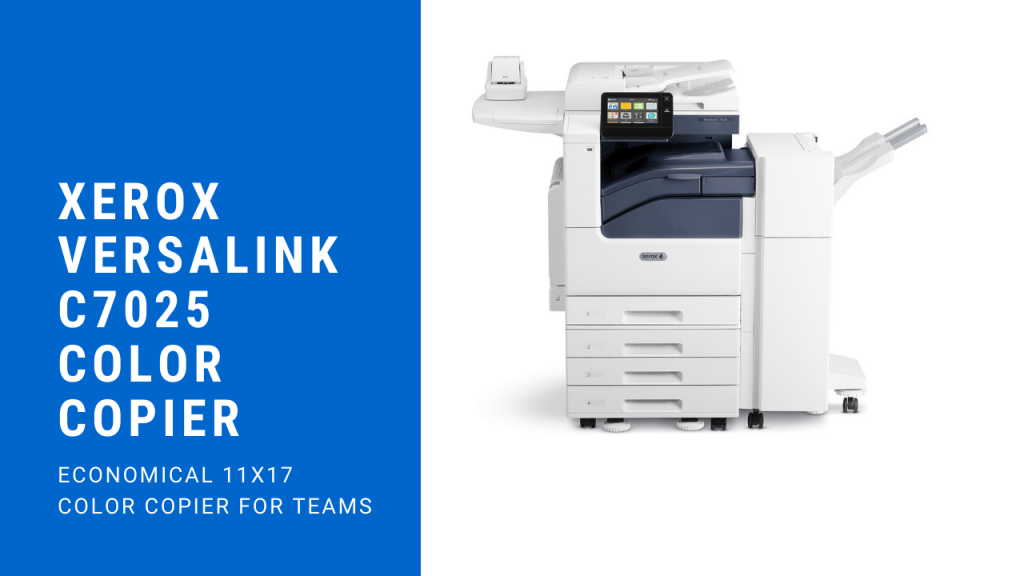
The Xerox Versalink is more what we would call a high quality “entry level” 11 x 17 color copier. Models included in this family are the following:

  • Xerox Versalink C7020
  • Xerox Versalink C7025
  • Xerox Versalink C7030
Xerox Versalink Color Copier Series

The big disadvantage to the Xerox Versalink family from out of the box is there is no included Postscript and it starts as a single tray unit. The problem with it is when you add the C7030 for example, add the Postscript and then add 3 trays, you would probably be better off just getting the C8030 copier at that point for the small price difference.

The color quality of the Xerox Altalink copiers are much better than the Versalink copiers. The workload is better on the Altalink copiers. The price can be much cheaper on the Versalink copiers.

We would love to help you get a Xerox copier, if you are anywhere in the USA, please get a hold of us for a free quote!

A few more items on the copiers. The last 2 digits of the model specify the speed of the copier. So a C8030 color copier is 30 pages per minute. As an example. The color quality is normally about the same within a family. Once you get to the C8045 and faster, you get single pass scanning (meaning it goes through the scanner and can scan both the front and back of the paper on one pass.)

Either family can add add the Xerox Apps, so you will def want to make sure you take a moment to learn about the cool apps.

The post Xerox Altalink vs Versalink appeared first on Copier Lease Center.


source https://www.copierleasecenter.com/xerox-altalink-vs-versalink/

Monday, January 27, 2020

Xerox C7020 and C7030 Out of the Box Weirdness

One of the promises we make as we have a copier company is when we find weird things in a newer copier, we do our best to educate our clients, or potential clients.

Here are some odd things that can happen when installing a Xerox Versalink C7020 or C7030.

  • Blank Pages Printing at the Beginning
  • Copier Not Able to Print if there is a Mac
  • Copier giving a jam message like 075-135 or 077-101
  • Not able to login to copier

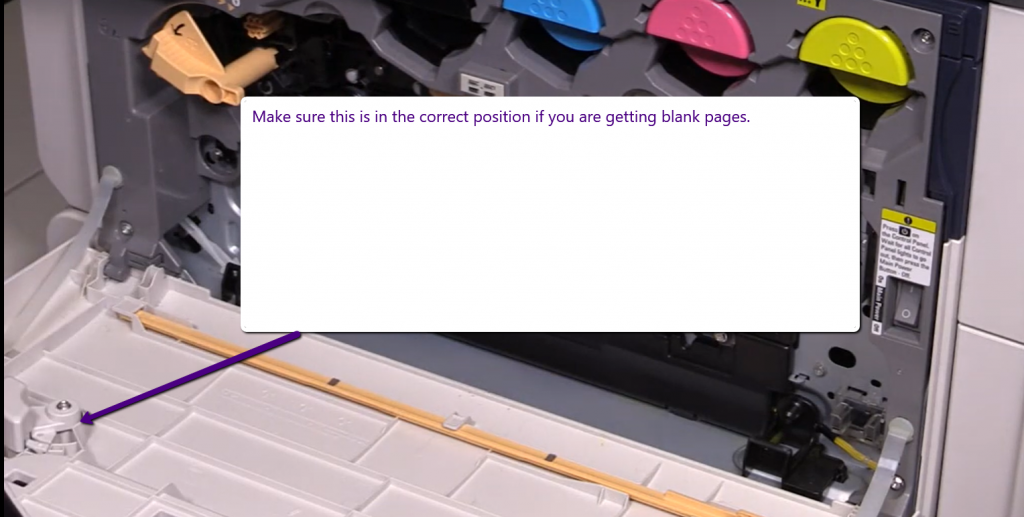
So let’s look at each of these and see what seems to be working for us so far. For the blank pages coming out when you try and copy, there is a locking type of device on the inside of the tray. See if changing the position so it locks clears up this issue. Here is an image of what we are referring to.

Next, if the copier is unable to print if you have a Mac. There are 2 solutions, you can either print using AirPrint – OR you can purchase the Postscript module. Item number 497K18340

For the jamming, if you have that issue out of the box – we have seen that being caused because the startup page is oriented differently than the trays. I tend to go into the web page for the copier (use the IP address in a browser) and turn off the start up page in Centreware.

From the Xerox Support Forum – We also suggest disabling banner pages while you are in there.

Re: VersaLink C7020 and C7030 Stop Printing Startup Page at power-on 

Take the printers IP address and put it in your web browsers address bar.

Login as admin at the upper right (passcode is 1111 by default)

On the left select System (1) and then select Defaults and Policies(2)

1.GIF

Click here to disable it

2.GIF

Next is not being able to login if you are used to the default being admin and 1111. With new California laws, each login must be unique now, so Xerox has chosen to use the serial number as the password and then you can change it (we like the idea of going back to 1111 unless your organization has a solid password program like Lastpass (even better) where it can be saved and shared in case someone who set the IP leaves the company. It is very hard to reset if that person has left the company. Very difficult – it is not a simple email me my credentials like other technology does.

The post Xerox C7020 and C7030 Out of the Box Weirdness appeared first on Copier Lease Center.


source https://www.copierleasecenter.com/xerox-c7020-and-c7030-out-of-the-box-weirdness/

Sunday, January 19, 2020

Mobile Print Features With Xerox

Selective Focus Photography of Person Holding Iphone Displaying White Screen

Mobile printing is a convenient feature that Xerox offers with almost all of their printers to make it easier for its users to print things more efficiently. This will help you boost your productivity in your business making working and printing easier than ever.

Mobile printing simplifies your workload:

  • You are able to print all popular document formats without losing your formatting.
  • You can use a Mobile App or email submission.

Mobile printing is very convenient for you:

  • It allows you to get the documents you need faster.
  • If you’re away from your desk you can quickly connect to your printer and print documents.

Mobile printing is secure:

  • You are able to control when each document goes to the printer.
  • You can create listings to ensure users have the correct access.
  • You can also add Cloud setup for greater control or opt for an on-site setup that installs behind your firewall. Making it safe and secure.

Call us today if you need help setting up the mobile features options on your printer.

The post Mobile Print Features With Xerox appeared first on Copier Lease Center.


source https://www.copierleasecenter.com/mobile-print-features-with-xerox/

Tuesday, December 31, 2019

How to Work Faster With Apps

Many people think apps are just used on your phone or tablet. However, Apps go broader than just mobile devices. Your office copier can and should meet today’s changing needs both in the office and on the go. The Xerox App Gallery offers an ever-evolving gallery of Apps including those from third-party developers that let you add, delete, or swap tools in your own custom app gallery.

When choosing apps for your printer keep these things in mind:

  1. Make sure the app you’ve chosen can actually achieve what you expect it to.
  2. Just because an App looks cool in principle it doesn’t mean it’s going to suit your requirements. Choosing Apps that can be personalized will give you more control of ensuring you get what you want from them.
  3. Make sure the App is easy to use and understand for your users. There is nothing worse than trying to use something that requires an instructions manual to figure out.

Some of the top apps available that you can add to your Xerox Altalink or Versalink copier are:

DropBox
Print files from or scan documents to Dropbox. For print, the app includes support for Microsoft Office, PDF, Open Office, TIFF, JPEG, PNG, GIF, TXT, RTF, EML, XPS, PS, and PCL. For scan, the app supports output formats of PDF, PDF/A, XPS, TIFF, and JPEG.

Google Drive
Print files from or scan documents to GoogleDrive. For print, the app includes support for Microsoft Office, PDF, Open Office, TIFF, JPEG, PNG, GIF, TXT, RTF, EML, XPS, PS, and PCL. For scan, the app supports output formats of PDF, PDF/A, XPS, TIFF, and JPEG.

One Drive
Print files from or scan documents to OneDrive. For print, the app includes support for Microsoft Office, PDF, Open Office, TIFF, JPEG, PNG, GIF, TXT, RTF, EML, XPS, PS, and PCL. For scan, the app supports output formats of PDF, PDF/A, XPS, TIFF, and JPEG.

QR Code
You can use this App to link your Xerox mobile applications with ConnectKey devices. You can also use the QR CodeApp to access information about related Xerox Mobile Apps.

The post How to Work Faster With Apps appeared first on Copier Lease Center.


source https://www.copierleasecenter.com/how-to-work-faster-with-apps/

Thursday, December 12, 2019

Xerox Altalink C8055 Review

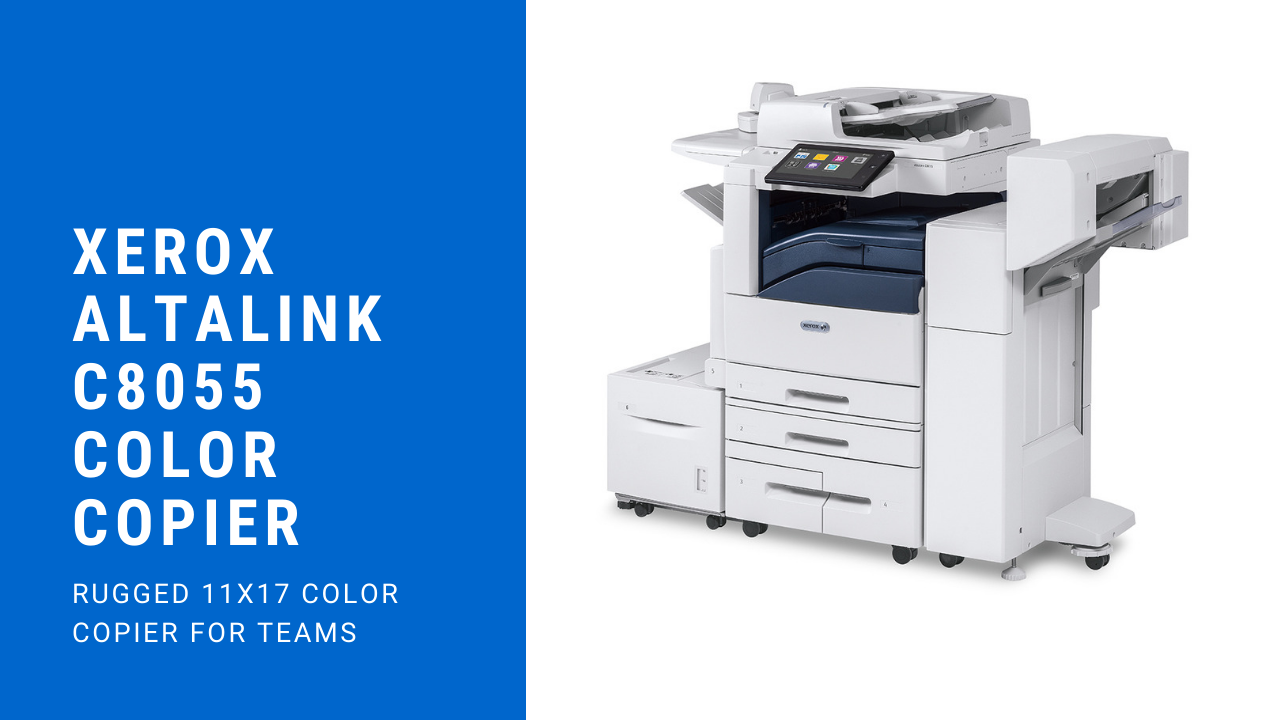
Are you looking to lease a great copier? The Xerox Altalink C8055 offers you plenty of great features that you can take advantage of. We will also sell you a cost-per-print plan that will lower the costs and make everything easier for you as a business. People often come to us because of how we work with them to help them get the best copier for their business. We’re not interested in doing anything less than our best for you.

Xerox Altalink C8055 Color Copier

Why People Choose the Xerox Altalink X8055

Known as a powerful and scalable copier, you can complete some of your most essential office applications for much less. When it comes to monthly duty cycle of 300,000 pages, you can get a lot done with this copier. They made this copier to fit in with the medium to larger-sized office that needs to meet high demands on a daily basis. While you can go up to 300,000 per month, it is recommended that you stay between 8,000 to 22,000 pages per month. However, if you have a peak month, you should be fine.

C8055 Color Printer

When it comes to copying speed, you have a speed of 55 pages per minute in black and white and 55 pages per minute in color. With the standard features, you get all the classic functions like print, scan, copy and email. When it comes to the functions, you have Xerox Integrated RFID Card Reader and walkup fax that goes with it. You also get a decent print resolution of between 1200 to 2400 dpi.

Security as Needed

With this copier, you get top notch security from Xerox. As always with copiers, you need to make sure that you have the maximum level of security, and the built-in security features of this copier will keep your most essential data safe and free from the prying eyes of cyber criminals who would seek to do harm.

When you lease a copier from us, our sales representatives will give you the most pertinent and up-to-date information on the copier. We want you to make a good decision for your business that will boost productivity levels and ensure higher profits for years to come. Buying a copier becomes an investment because one of these machines will keep the office flowing smoothly so that your staff can complete their tasks with ease. When you have a copier that jams constantly, it has an impact on how much you can accomplish in the day.

The post Xerox Altalink C8055 Review appeared first on Copier Lease Center.


source https://www.copierleasecenter.com/xerox-altalink-c8055-review/

Tuesday, December 10, 2019

Xerox Altalink C8035 Review

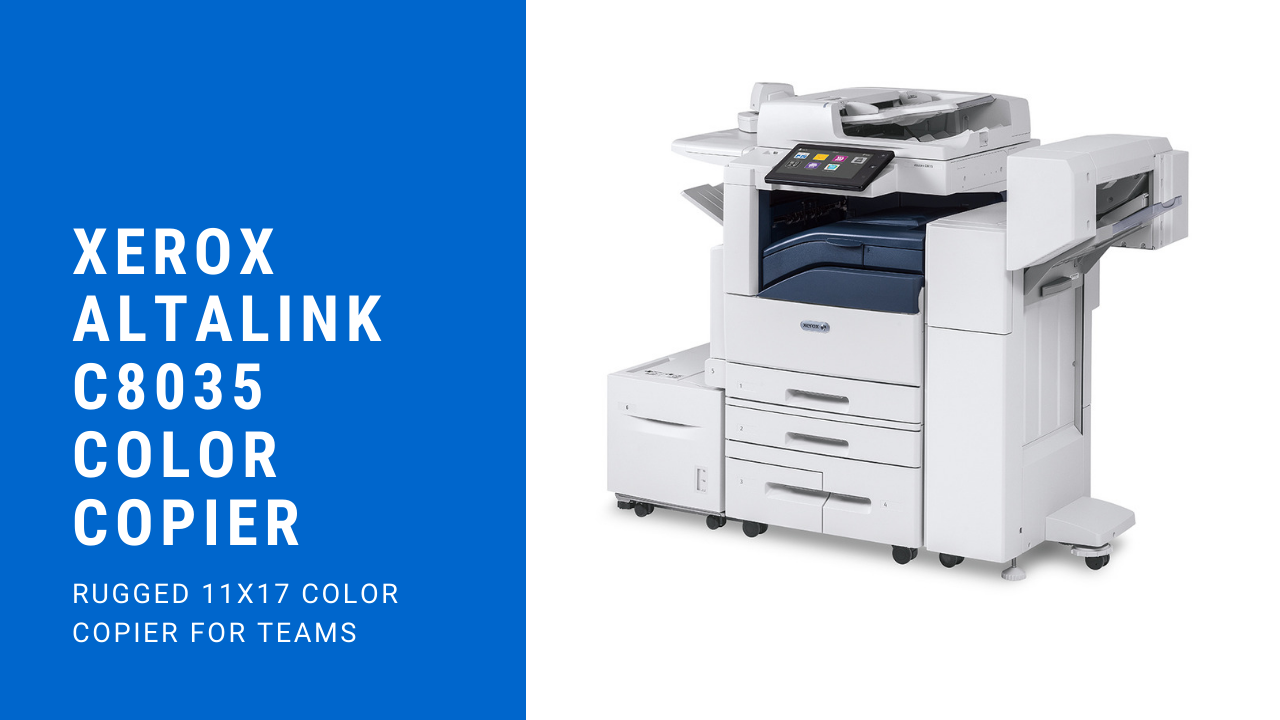
Having its headquarters in Norwalk, Connecticut, Xerox has expanded themselves out to over 160 countries. The Xerox Altalink C8035 can be leased through our company. You can even request a printed sample to see how well this copier prints. We love working with out customers and helping them to get the most from copiers.

Xerox Altalink C8035 Color Copier

C8035: What You Need to Know

As a color multifunction copier, the C8035 offers you five different variations, and the manufacturers designed this copier for teams in the middle to large range. From a single device, you will now have the option to print, scan, fax and copy. In addition, the initial startup time doesn’t look too bad seeing as how it prints off within the first 6.7 seconds for black-and-white prints. It prints off in color in 8.1 seconds. When it comes to the monthly duty cycle, you can make 110,000 prints. In fact, this little productivity machine makes it so that you can print, scan and copy off all at the same time.

C8035 Color Printer

With this copier, you will also receive a 10.1-inch touchscreen that allows for maximum intuitiveness when it comes to printing. You have the option to print a variety of materials for this copier. Some of the materials that it works well for include:

  • Pamphlets
  • Brochures
  • Marketing materials

You have a range of finishing materials that this copier will work well with. With this copier, you have the option of stapling and auto duplex. Whether you should choose this depends on your needs. However, auto duplex gives you the advantage of saving on paper, and it’s more environmentally friendly, so you may find it more advantageous to go with this one.

Along with these things, the Xerox Altalink C8035 comes with plenty of great connectivity features that add to your convenience. When you look at the paper capacity, you can hold up to 5,140 sheets of paper. This becomes almost double the capacity of the other printers that you will see on the market. When it comes to the Altalink C8035, they take a multilayered approach when it comes to security. This means that if hackers manage to get past one level of security, they will have to overcome multiple security checks and balances. You can lease the Xerox Altalink C8035 through us for low monthly payments. We would love to work with you on your next copier.

Xerox Altalink C8035 Copier

The post Xerox Altalink C8035 Review appeared first on Copier Lease Center.


source https://www.copierleasecenter.com/xerox-altalink-c8035-review/